If your WordPress website uses WP Rocket to load faster, please stop and check it today. Attackers are actively going after a serious security hole in this caching plugin and they started over the Thanksgiving holiday, when many business owners and web managers were offline.
On November 27, the security company Patchstack reported that the flaw is under active attack. It is tracked as CVE-2026-125812 and rated 9.8 out of 10 for severity. The fix has been out for more than a week, so this is one of those problems that is easy to solve once you know about it. Here is what happened, why small business sites tend to get caught by this kind of thing and exactly what I would check.
What Happened With WP Rocket
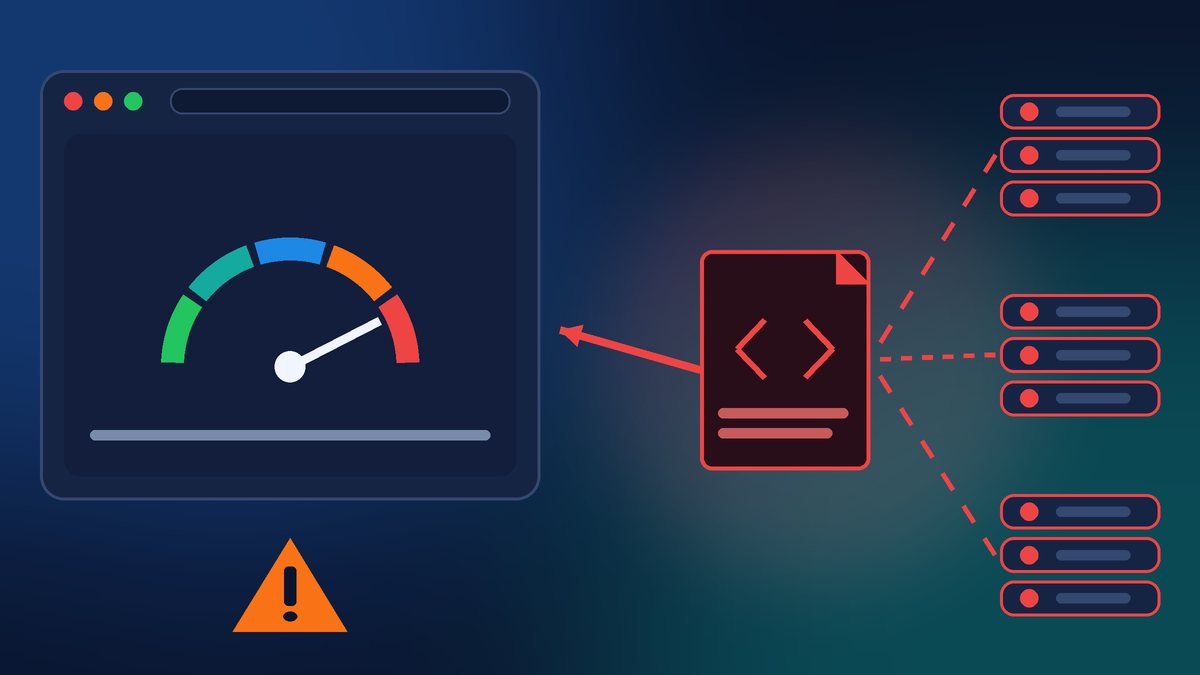
WP Rocket is a paid plugin that speeds up WordPress sites by caching pages and optimizing files like CSS and fonts. According to Patchstack, the flaw lets an attacker who is not logged in write a PHP file to your server and run it. In plain English, a stranger can put their own code on your website and execute it. That can mean spam pages, redirects to scam sites, stolen form submissions or a site that gets flagged by Google.
Here is how it works, in simple terms. WP Rocket runs a small script in visitors’ browsers that measures each page and reports back to the website, and WP Rocket then uses those reports to optimize the page. Patchstack found that the plugin did not check those reports strictly enough. A crafted report can make your site download a file from the attacker’s server and save it as PHP.
There is an important condition. WP Rocket’s own security advisory says the problem affects versions 3.15 through 3.24.1, and only when at least one of two features is turned on:
- LazyLoad for CSS background images
- Self-host Google Fonts (Patchstack calls it Host Fonts Locally)
Patchstack notes that both features are off by default but common on performance-tuned sites. In other words, the sites where someone took the time to make things fast are the ones most likely to be exposed.
The timeline matters too. WP Rocket released the fix in version 3.24.2 on November 19, according to its changelog. The changelog line only says “Improve validation of cached CSS, font and preconnect files,” which is easy to skim past. The vulnerability was made public on November 23, and Patchstack saw the first exploitation attempt on November 25 at 10:27 a.m. Eastern time. By November 26, it had turned into automated campaigns, with tens of thousands of blocked attempts that day alone.
Why Small Business Sites Get Caught
A fix that has been out for over a week sounds like a non-issue. But this is exactly the kind of update small business sites miss, for a few reasons.
It is a premium plugin. WP Rocket updates come through your license. If the license expired, the site may not see the update at all. A common story: a license was bought when the site was built, it lapsed later, and the plugin kept working, so nobody noticed the updates stopped. WP Rocket’s advisory has a specific section for people whose license expired, which tells you how common this is.
Automatic updates are not a guarantee. Even if you have auto-updates turned on, confirm the actual version number. Rescana, which reviewed the records, recommends confirming the version on each site after the update rather than assuming an automatic update ran.
Somebody else installed it. Many business owners do not know which plugins are on their own website. A web designer, marketing agency or freelancer added WP Rocket to make the site pass a speed test, and the owner never logged into the plugin settings. If that is you, you need to ask.
The forgotten sites. Old landing pages, a second domain for a different service area, a staging copy of your site. If they run WordPress and WP Rocket, they count. Attackers scan the whole internet, not just your main site.
I wrote about this same pattern earlier this month in 7 Critical WordPress Plugin Flaws and in my post on WordPress 7.1.5 security fixes. The fix is usually simple. The hard part is knowing it applies to you.
What to Do Today
Here is the checklist I would run on every WordPress site you own or pay for:
- Check whether WP Rocket is installed. Log in to WordPress and go to Plugins. If you do not see WP Rocket, this flaw does not apply to you, though it is still a good moment to update everything else.
- Check the version number. It should be 3.24.2 or later. The current release is 3.24.3, from November 26. If an update is waiting, click Update now and then confirm the new number.
- If you cannot update, turn off the two features. WP Rocket says to go to WP Rocket, then Page Optimization, then Image & Media (the Media tab on versions before 3.24), and turn off LazyLoad for CSS background images and Self-host Google Fonts. Save, then double check both are off. This blocks the known attack paths but does not fix the plugin, so still update as soon as you can.
- Renew the license if it expired. A paid performance plugin that cannot receive security updates is a liability. Renew it, or replace it with a caching setup that is maintained.
- Ask your web person in writing. If someone else manages your site, ask: Do any of my sites run WP Rocket? What version are they on today? Were either of those two features turned on before the update?
- Check for signs of a break-in if you were exposed. Patchstack warns that the update stops new attacks but does not remove files an attacker already planted. It suggests looking for unexpected PHP files in
wp-content/wp-rocket-config/,wp-content/uploads/or directly inwp-content/, such as files named likewp-media-*.php, and for outbound connections from your server to unfamiliar addresses. Your host or developer can do this for you.
If you do find something suspicious, treat the site as compromised. Keep a copy of the logs and files, remove what does not belong, update the plugin and change your WordPress admin, database and hosting passwords. Do not just delete one file and hope for the best.
One more note for anyone who manages several sites: WP Rocket published a small helper plugin that turns off both features across sites in bulk, which you can find in its advisory. It is a stopgap, not a replacement for updating.
I am not telling anyone to stop using WP Rocket. A fast website helps with Google and with customers. But every plugin on your site is software that needs updates, and the ones you pay for only stay safe while the license is active and someone is watching. This weekend is a good time to check.
If you are not sure whether your site runs WP Rocket, what version it is on or whether those settings were turned on, contact Final Web Design. I will check your WordPress sites with you, get them updated and look for anything that should not be there.
Sources: Patchstack, “Critical WP Rocket RCE (CVE-2026-125812) Under Active Attack” (Nov 27, 2026); WP Rocket, “WP Rocket security advisory and mitigation steps for CVE-2026-125812” (updated Nov 27, 2026); WP Rocket Plugin Changelog; Patchstack vulnerability database entry; Wordfence Threat Intelligence, “WP Rocket < 3.24.2 – Unauthenticated Remote Code Execution”; Rescana, “WP Rocket CVE-2026-125812 Unauthenticated RCE Under Active Attack” (Nov 27, 2026)