If your business website runs on WordPress, there is an update waiting for you, and this one should not sit in the queue until after the holidays.
On November 18, WordPress released version 7.1.5, a security release that fixes 18 vulnerabilities plus two hardening changes in WordPress itself. Not a plugin. Not a theme. The core software your whole site runs on. The WordPress team’s advice is short: “Because this is a security release, it is recommended that you update your sites immediately.”
And there is a second date to put on your calendar. WordPress 7.2 is scheduled for December 8, and it turns on a new public web address on every site that updates. Here is what both mean for a small business website, and what I am doing for the sites I manage.
What WordPress 7.1.5 Fixes
The full list is on the WordPress.org release post. Most of it is the usual mix of cross-site scripting (XSS) and information leaks that require someone to be logged in. A few items stand out because an attacker does not need an account at all:
- An unauthenticated privilege escalation that could lead to remote code execution. It involves Template Part block attributes. As Search Engine Journal’s Roger Montti put it, no login plus remote code execution is “the worst-case scenario for a CMS,” because it can lead to a full site takeover.
- Unauthenticated stored XSS through shortcode attributes in comments. Search Engine Journal explains that this kind of flaw can run malicious code in the browser of anyone who views the comment, including administrators, which can lead to account takeover.
- Unauthenticated denial of service through batched XML-RPC pingbacks. In plain English, a way to knock a site offline.
- Two SQL injection flaws, one in the code WordPress uses to build database queries involving metadata and one in Customizer previews.
- Information leaks, including one that exposed user email addresses through the REST API comments endpoint and one that exposed private taxonomy terms without a login.
One small detail I found interesting: two of the issues were reported by Anthropic, the AI company. Security researchers are increasingly using AI to find bugs. That is good news for getting flaws fixed, and it is also a reminder that the people looking for holes in WordPress are getting faster too. The gap between “patch released” and “patch being exploited” keeps shrinking.
Running an Older Version? There Is a Fix for You Too
WordPress backported these fixes to older branches as a courtesy. According to the WordPress 7.1.5 HelpHub page, 7.0, 6.9 and 6.8 are each affected by all 20 issues, and versions 7.0.9, 6.9.12 and 6.8.13 contain the fixes. The release post says backports go all the way back to 4.7 and will ship as they become ready.
That said, WordPress is clear that “only the most recent version of WordPress is actively supported.” If your site is stuck on an old major version because someone was afraid an update would break something, that is a problem worth solving now rather than patching around forever.
This is also the second core security release in about three weeks. Earlier this month I wrote about WordPress 7.1.4 and the CISA KEV listing. WordPress updates are cumulative, so if you skipped that one, updating to 7.1.5 covers both.
How to Check Your Site Today
Most WordPress sites have automatic background updates turned on for security releases, so many of you may already be on 7.1.5. Don’t assume. Here is the checklist I run:
- Check your version. Log in and look at Dashboard > Updates, or the “At a Glance” box on the dashboard. You want to see 7.1.5 (or the patched version for your branch).
- Take a backup first. Make sure you have a fresh backup of files and database stored somewhere other than your hosting account, then click “Update Now.”
- Test what makes you money. After updating, submit your contact form, place a test order if you sell online, and click through your booking or quote pages.
- Look at your users list. Any administrator you don’t recognize is a red flag. Remove old employees and past vendors who no longer need access.
- Review comments. Because one flaw involved comments, make sure comments are moderated. If your business site doesn’t use comments at all, turn them off.
- Ask about XML-RPC. Most small business sites don’t need it. In its November 16 FLASH alert on Gootloader malware, the FBI recommends you “Disable xmlrpc.php if unused,” and notes attackers frequently target that endpoint.
That same FBI alert says investigators identified over 1,000 infected WordPress sites tied to one malware operation. Its recommendations will sound familiar to anyone who read my post on critical plugin flaws: update core, plugins and themes automatically where feasible, remove unused plugins, themes and accounts, and require strong multi-factor authentication for administrators and hosting access.
Next Up: WordPress 7.2 Arrives December 8
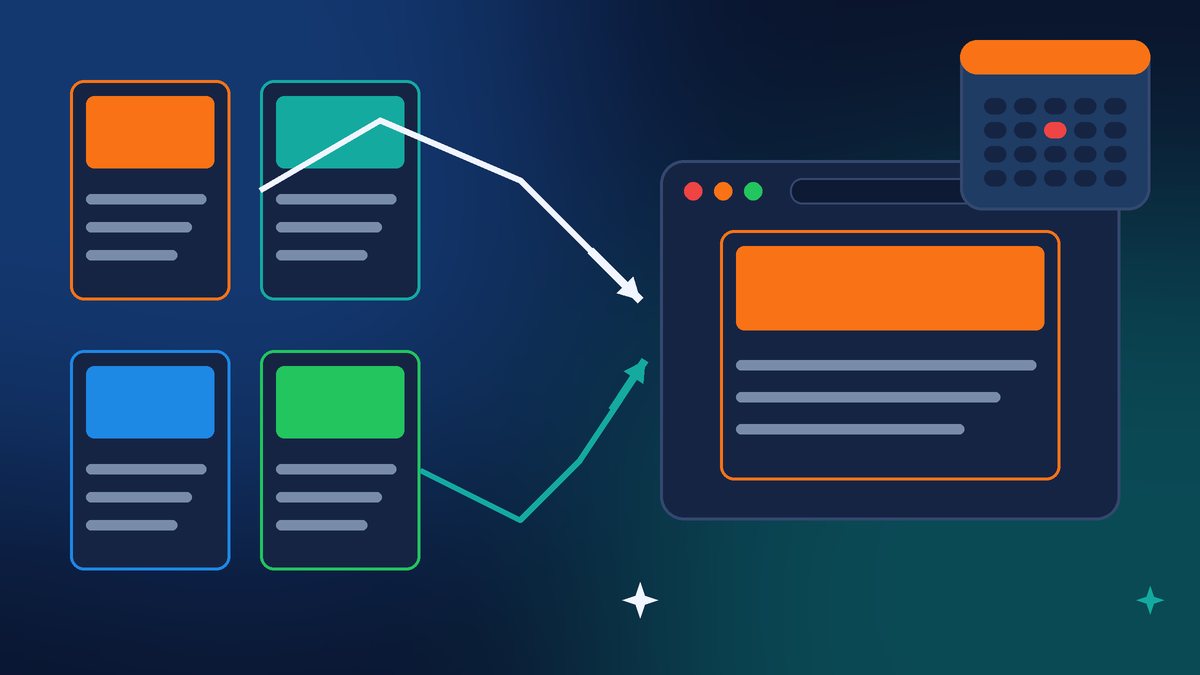
WordPress 7.2 is the next major release, and Search Engine Journal’s Matt G. Southern flagged a change most site owners won’t see coming. In the test versions, 7.2 adds a new address, yoursite.com/random/, that sends visitors to a randomly selected published post. Category, tag and author archives get their own versions too.
Why should a business owner care?
- It is on by default. There is no switch in the dashboard. Turning it off takes a small piece of code. Search Engine Journal also found that the filter name listed in the WordPress Developer Blog roundup does not match the one in the code, so copying it from there does nothing.
- It can surface posts you forgot about. Any published post without a password is eligible, plus some custom post types. If you used posts for client pages, offers or testimonials you never linked in your menu, someone could land on them.
- A page named “random” wins. If you already have a published page with the slug “random,” it overrides the redirect.
- Caching can cause a 404 at first. On sites behind a page cache or CDN, /random/ can return a 404 right after the upgrade until rewrite rules are flushed and the cache is purged.
Details may still change. The feature drew objections from developers, and release candidates are still coming, with RC2 set for November 24. The safest plan is to test 7.2 on a staging copy of your site before it goes live and decide whether you want /random/ on or off.
Timing Matters This Time of Year
Black Friday is this week. If you run an online store or take holiday bookings, the worst time to discover a broken checkout is Friday morning. Install 7.1.5 today, test it, and then leave your site alone during your busiest days. When 7.2 lands on December 8, let it sit on staging for a few days before you push it to your live site.
Want Me to Handle It?
If you are not sure what version your site is running, whether your backups work, or how to switch off /random/ before December 8, I can take care of it. I will update WordPress, test your forms and checkout, clean up old user accounts, and set your site up for 7.2 on a staging copy first. Contact Final Web Design and let’s get your site patched before the holiday rush.
Sources: WordPress.org News, “WordPress 7.1.5 Release” (Nov 18, 2026); WordPress.org Documentation, “Version 7.1.5”; Search Engine Journal, “WordPress 7.1.5 Security Release Fixes 18 Vulnerabilities” (Nov 19, 2026); Search Engine Journal, “WordPress 7.2 Arrives Dec. 8 – Last-Minute Changes Still Being Made” (Nov 19, 2026); FBI FLASH CC-111626-MW, “Gootloader Malware Using SEO Poisoning and Compromised Websites to Gain Initial Access” (Nov 16, 2026).