
Code Editors For Web Development
The editor is where the work happens. A good one catches mistakes as you type, connects to your version control, and makes navigating a large project quick. We set them up, configure them for your stack, and train teams to get real value out of them.
- Editor Setup
- Extensions & Linting
- Team Standards
- Based in Miami, FL
Sell Online From the WordPress Site You Already Have
None of that is glamorous, and all of it compounds. Over a long project, the difference between an editor that is configured well and one that is not shows up in the bug count.
The trade against hosted platforms is straightforward: no monthly platform fee and no cut of your sales, but the hosting, updates, and security are yours to manage. That is the part we take on.
- Physical products, digital downloads, or subscriptions
- Your product data stays yours, exportable at any time
- Works with the WordPress plugins you already run
- Scales from a dozen products to several thousand
How We Help With Editors
Setup, standards, and the tooling that runs inside them.
Editor Setup
Installation and configuration tuned for your stack — PHP, JavaScript, Python, or whatever your project actually runs on.
Linting & Formatting
Shared rules that catch errors as you type and format code identically for everyone on the team.
Debugging Configuration
Step debugging wired up properly, so you can inspect what your code is doing instead of adding print statements.
Version Control Integration
Git built into the sidebar — staging, committing, reviewing diffs, and resolving conflicts without a terminal.
Extension Selection
The handful of extensions worth installing, and the many that slow your editor down for no real benefit.
Team Onboarding
Getting a new developer productive on day one instead of spending their first week configuring a machine.
Team all working differently?
Shared configuration fixes it in an afternoon. We will set it up and commit it with your code.

A Catalog Your Customers Can Actually Navigate
For most web work, a well-configured lightweight editor is the right answer. Full IDEs like PhpStorm earn their cost on large, long-lived codebases where the deeper analysis pays for itself.
We are not precious about which one you use. We are precious about it being configured properly.
An Open-Source Platform With a Serious Ecosystem
We set teams up to work locally, commit to version control, and deploy — and we keep a documented emergency path for the rare cases where a live edit genuinely is the right call.
If you are editing production files daily right now, that is the first thing worth changing.
How An Editor Rollout Runs
Four steps, done once, benefiting every project afterward.
Assess
We look at what your team uses today, what your projects are built in, and where the friction is.
Standardize
Formatting, linting, and editor settings are agreed and written into project configuration files.
Configure
Debugging, version control, and the extensions worth having are set up on each machine.
Train
A practical session on the features that save real time, plus documentation for new starters.
Explore Code Editors
The editors and tools we set up most often.
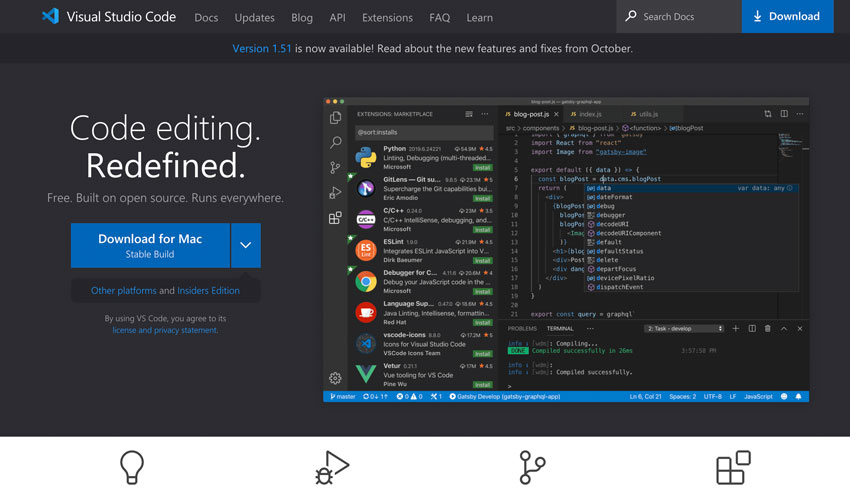
Visual Studio Code
The default choice for most web development, and the one we configure most often.
Dreamweaver
Adobe editor, still in use across many established sites and teams.
Notepad++
Fast, lightweight, and hard to beat for quick edits on Windows.
Chrome DevTools
The browser built-in editor and debugger — where front-end problems get diagnosed.
Code Editor Questions
Which code editor should I use?
For most web development, Visual Studio Code. It is free, works on every platform, has the largest extension library, and handles PHP, JavaScript, Python, and HTML well out of the box. PhpStorm is worth paying for on large PHP codebases. Notepad++ remains excellent for quick edits on Windows.
Is a paid editor worth it?
On a large, long-lived codebase, often yes — deeper code analysis and refactoring tools save real hours. On a typical brochure site or a small WordPress theme, a free editor configured well does everything you need. Configuration matters more than price.
Can I edit my website files directly on the server?
You can, through an SFTP extension, and sometimes it is the fastest way to fix something urgent. It is risky as a habit, because nothing records the previous state. We recommend working locally with version control, and keeping live editing for genuine emergencies.
What extensions should I install?
Fewer than you think. A linter for your language, a formatter, Git integration if it is not built in, and something for your specific framework. Every extension adds startup time and memory, and a heavily loaded editor becomes slow enough to be annoying.
How do I get my whole team formatting code the same way?
Commit the configuration to the project rather than relying on each person settings. An EditorConfig file plus a formatter configuration means the rules travel with the code and apply regardless of which editor each developer prefers.
Do I need to learn a code editor to run my website?
No. If you publish content through WordPress or another CMS, you never need to touch code. Editors matter for the people building and maintaining the site. If someone tells you that you must edit theme files to make a routine content change, get a second opinion.
Can you train our team?
Yes. We run practical sessions on the features that actually save time — search across a project, step debugging, refactoring, and version control from inside the editor — rather than a tour of every menu. Sessions are recorded and documented for new starters.
Get your team set up properly
Tell us what your team builds and what they use today. We will tell you what it takes — and we will tell you when it is not worth doing.