A few days ago I wrote about a cluster of WordPress plugin flaws. Today’s post is different. This one is about core WordPress itself, a short race during the update process, and a November 3 listing that put the issue on CISA’s Known Exploited Vulnerabilities catalog.
On October 28, WordPress released version 7.1.4 as a security update and asked site owners to update immediately. Among the fixes was a weakness in the upgrade process that can lead to remote code execution during the upgrade window. On November 3, HOL Guard reported that CISA added that flaw, tracked as CVE-2026-119977, to its KEV catalog. If you run WordPress for a small business, here’s what that actually means and what I’d do this week.
What WordPress 7.1.4 Fixed
The WordPress 7.1.4 release notes describe a short-cycle security release. The most consequential fix, and the one CISA later listed, addresses a weakness in the upgrade process that can lead to remote code execution while a core update is running. WordPress credits Umut Bayram for reporting it.
Search Engine Journal noted that the release covered about 22 vulnerabilities in total. Alongside the upgrade-process issue, the notes mention multiple stored XSS fixes, Interactivity API issues, and unpublished customizer changesets that unauthenticated users could discover. Security fixes were backported through the 4.7 branch, and the next major release, 7.2, is planned for December 8.
That breadth matters, but the upgrade race is the part that moved from “patch this” to “CISA says this is being exploited.”
The Upgrade-Window Race, in Plain English
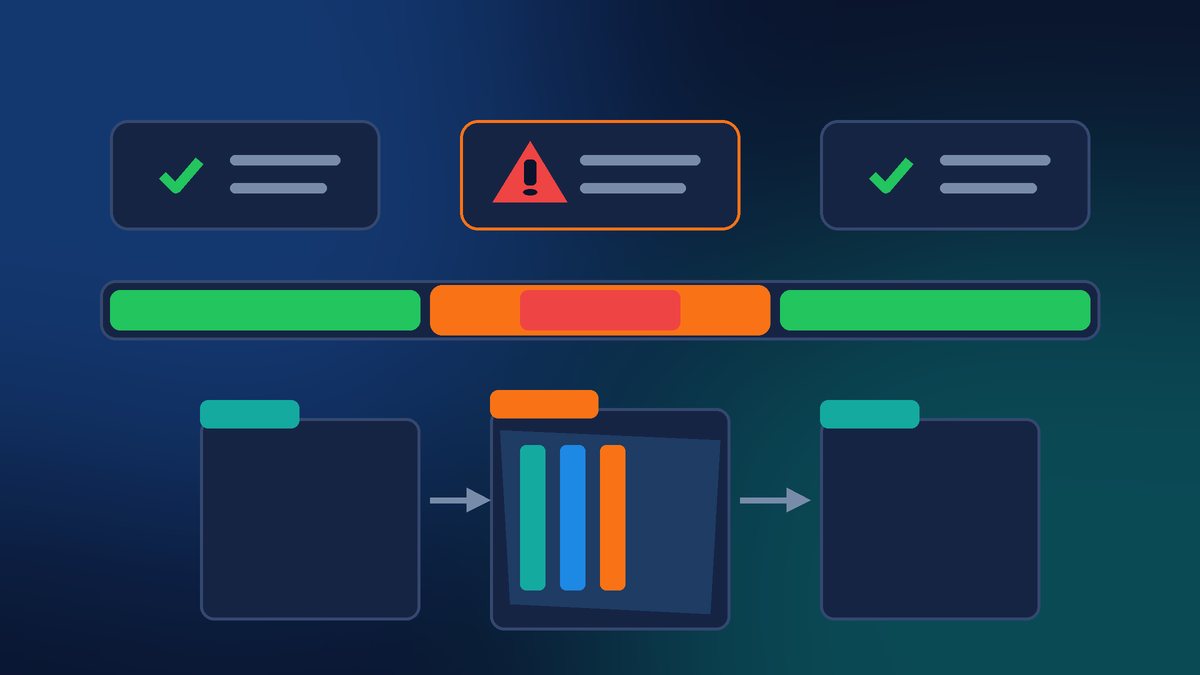
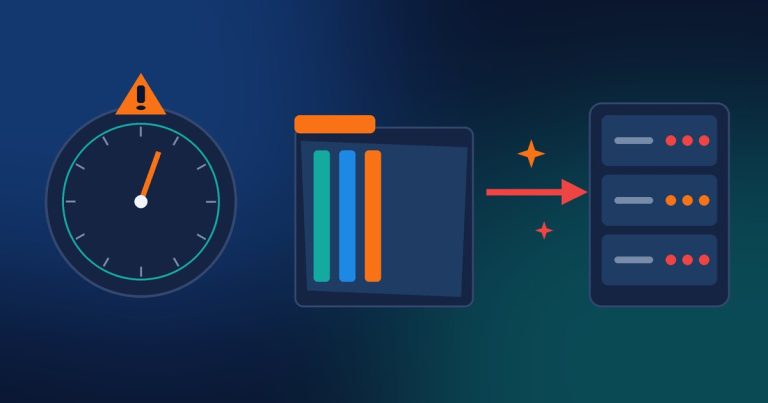
According to the HOL Guard write-up of CVE-2026-119977, the attack only works in a narrow set of conditions. While your site is running a full core update, WordPress stages installer files under /wp-content/upgrade/. If that folder is reachable over the web, an attacker who is watching can try to hijack the staged update and land their own code on the server.
Two details keep this from being an everyday “someone can hack you any time” story:
- It is not always on. The window is only open during a full core update, often just a few seconds.
- The upgrade folder has to be web-reachable. Many hosts already keep that path locked down. Sites that leave it open are the ones in play.
Wordfence, acting as a CNA, published the CVE on October 31 and scored it CVSS 3.1 8.1 (network, high attack complexity, no privileges, no user interaction). WordPress’s own advisory (GHSA-4w3m-c66w-69mg) rates the issue Low. Wordfence rates it High. CISA’s KEV listing says it is being exploited. Those three views can coexist: the conditions are strict, the impact if they line up is severe, and CISA’s bar for KEV is evidence of exploitation in the wild.
What CISA’s KEV Listing Means for You
HOL Guard reports that CISA added CVE-2026-119977 to the Known Exploited Vulnerabilities catalog on Tuesday, November 3. Federal agencies have until November 6 to remediate. CISA’s KEV entry notes forensic triage guidance and lists ransomware use as unknown.
For a Miami small business, you are not a federal agency. The practical takeaway is simpler: a real vulnerability in core WordPress made CISA’s “this is being used” list, and the fix has been out since October 28. That is enough reason to confirm your version today, not next month.
HOL Guard also summarizes Wordfence telemetry: more than 18,500 requests for staged installer paths in the first 21 hours after Wordfence shipped a firewall rule, with some sources polling for roughly 14.5 hours. As of November 3 there was still no public report of a specific site takeover. Scanning and probing are not the same as a confirmed hijack, but they are a clear signal that attackers are looking for the window.
Which Versions Are Affected, and Which Are Fixed
Affected releases run from WordPress 4.7.0 through 7.1.3. Fixed releases include:
- 7.1.4, 7.0.8, 6.9.11, 6.8.12, 6.7.11, 6.6.11
- and backports continuing down through 4.7.39
If Dashboard → Updates (or your host’s staging panel) still shows anything at or below 7.1.3 on the 7.1 line, or the matching unpatched build on an older branch, plan the update now. Prefer a backup first, then update on a quiet hour if you can, but do not wait for a perfect moment that never comes.
What I’d Do on a Client Site This Week
Here is the short checklist I am using for our WordPress clients:
- Update core, then confirm the version. Apply 7.1.4 (or the matching patched release on your branch). Afterward, open Dashboard → Updates or check the version in the footer of wp-admin and make sure the number actually changed.
- Remember the update to 7.1.4 used the old upgrader. HOL Guard points this out clearly: getting to the fixed release still ran through the vulnerable process. Updating is necessary. It is not the whole story.
- Deny web access to
/wp-content/upgrade/. Nginx and Apache can both return 403 for that path. Ask your host if you are unsure; many managed WordPress plans already do this. - Check logs around your last core update. Look for HTTP 200 responses to
setup-config.phporinstall.phpunderwp-content/upgradenear the time you last updated. That is the triage step HOL Guard and Wordfence recommend. - Keep automatic updates on for minor/security releases if your workflow allows it, and keep a recent backup you have actually tested.
A typical Nginx rule looks like this (your host may use a slightly different path layout):
location ^~ /wp-content/upgrade/ {
    deny all;
    return 403;
}
And a common Apache/.htaccess approach inside wp-content/upgrade/:
Require all deniedThose are starting points, not a substitute for whatever your host already provides. The goal is simple: even if someone times the race perfectly, the staged files should not be reachable from the public internet.
How This Differs From Last Week’s Plugin Post
On November 2 I covered a set of critical WordPress plugin flaws and what to update. CVE-2026-119977 is core WordPress, not a plugin, and the risk is tied to the few seconds of a full core update when /wp-content/upgrade/ is exposed. Different root cause, same habit: keep WordPress, themes and plugins current, and lock down paths that never need to be public.
Want Us to Verify Your WordPress Update and Hardening?
If you would rather not dig through version numbers and server rules yourself, we can do it for you. Contact Final Web Design and we will confirm you are on a patched release, review whether /wp-content/upgrade/ is web-reachable, check logs around your last core update and give you a clear, up-front plan so the next security release is routine instead of stressful.
Sources: WordPress.org, “WordPress 7.1.4” (Oct 28, 2026); HOL Guard, “CVE-2026-119977 WordPress Update Hijack Added to CISA KEV” (Nov 3, 2026); Search Engine Journal, “WordPress Announces Another Security Release: Version 7.1.4”.