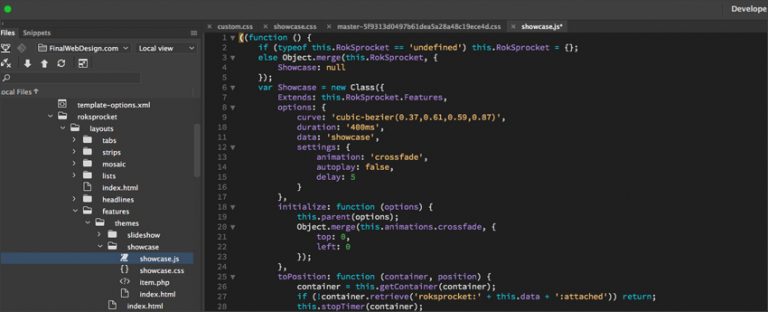
The final tutorial on HTML web design and development. In this final tutorial, we will make a quick review of the foundations of web design and development. This video includes a recap of HTML styling, images, text alignment, lists, iFrames and more.
Congratulations on completing the Final Web Design HTML series! From understanding basic tags to mastering complex layouts, you have built the essential foundation required for any modern digital career. This final review solidifies the core concepts we have covered and prepares you for the next phase: CSS and interactive development. If you are interested in learning more about the “HTML Wrap Up” contact the Final Web Design team on our Contact Form or call (888) 674-7779.
What You Should Be Comfortable With Now
By the end of this series you should be able to build a page from scratch without copying a starter file. That means writing a correct document structure with a doctype, head and body, marking up content with semantic elements rather than generic divs, linking stylesheets and scripts, building forms that submit real data, embedding images and video with proper alternative text, and laying out tabular data accessibly. If any of those still feel shaky, the individual tutorials in the series are worth revisiting before moving on.
Semantic Markup Is the Habit That Matters Most
Of everything covered, choosing the right element for the job pays the largest long term dividend. Using <header>, <nav>, <main>, <article>, <aside> and <footer> instead of a page full of unlabeled divs gives search engines a clearer map of your content, gives screen readers navigable landmarks, and gives the next developer who opens your file a fighting chance of understanding it. Heading levels matter for the same reason. One <h1> per page describing what the page is about, with <h2> and below used in order rather than chosen for their font size.
Validate Before You Ship
Browsers are forgiving of broken markup, which is precisely the problem. An unclosed tag can render acceptably in one browser and collapse a layout in another. Running your pages through the W3C validator catches unclosed elements, duplicate IDs and misplaced nesting in seconds. It is the cheapest quality check available and it costs nothing.
Where to Go From Here
HTML gives you structure, but a finished site needs two more layers. CSS controls presentation, from color and typography through to full page layout with Flexbox and Grid. JavaScript adds behavior, from small touches like a mobile menu toggle through to fully interactive applications. A sensible order is to get comfortable with CSS layout next, since it has the most immediate visual payoff, then move into JavaScript fundamentals.
Keep Building Real Things
Tutorials teach syntax, but projects teach judgment. Rebuilding a page you already like is one of the most effective exercises available because you are forced to make structural decisions rather than follow instructions. Add accessibility and performance to your checklist early: test that your page can be navigated with a keyboard alone, that every image has meaningful alternative text, that color contrast is sufficient, and that your images are sized appropriately before upload. These habits are far easier to build now than to retrofit later.