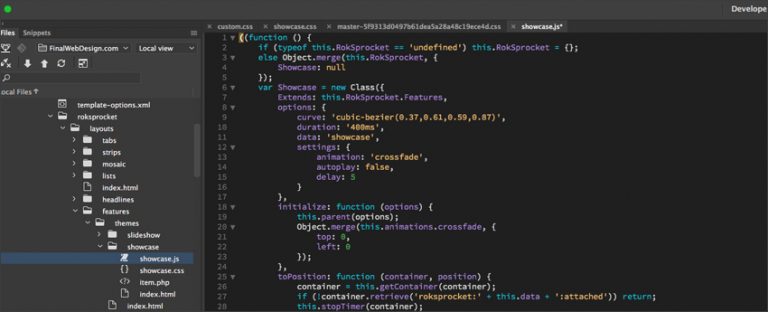
Atom Code Editor is the most popular code editor available for website developers and software engineers. Atom Code Editor is created and maintained by Microsoft and is considered one of the company’s best software products available. Atom Code Editor is open-source and offers excellent features and third-party extensions that have helped establish Atom Code Editor as the most popular enterprise coding editor.
0:00 Atom Code Editor Overview
0:35 Starting Atom Code Editor
1:30 Atom File Manager and Editor Overview
2:11 Atom Uses
2:54 Atom Code Editor Wrap-up
You can find out more on the Atom Code Editor and our services on our website or call us at (888) 674-7779 today.
If you are interested in learning more about the “Atom Code Editor” contact the Final Web Design team on our Contact Form or call (888) 674-7779.
Where Atom Stands Today
It is worth being clear about the current status of this editor. GitHub officially sunset Atom in December 2022, and the repository was archived. The application still runs on machines where it is already installed, but it no longer receives updates, security patches or package compatibility fixes. If you are choosing an editor now, Atom is a piece of history rather than a working recommendation, and the sections below explain both what made it worth using and where those ideas ended up.
What Made Atom Influential
Atom was built on web technology, which meant the editor itself could be customized using the same HTML, CSS and JavaScript its users already knew. That single decision produced an enormous package ecosystem and made deep personalization approachable to people who had never written a plugin before. Its built in Git and GitHub integration, its multi cursor editing and its fuzzy file finder all felt notably modern at the time, and its command palette approach to surfacing functionality has since become standard across nearly every editor.
Where Those Ideas Live Now
Visual Studio Code is the natural destination for most former Atom users. It shares the Electron foundation, offers a far larger extension marketplace, and includes integrated debugging and terminal support that Atom never matched. Pulsar is a community maintained fork of Atom that keeps the original project alive for people who prefer its interface and package model. Sublime Text remains a strong option for anyone who prioritizes raw speed on large files, and Neovim continues to attract developers who want a keyboard driven workflow.
Choosing an Editor Without Overthinking It
The features that actually affect daily productivity are consistent across every serious option: fast project wide search, reliable syntax highlighting for the languages you use, an integrated terminal, source control awareness, and an extension system that lets you add a linter and a formatter. Set up automatic formatting on save and a linter for your main language on day one. Those two habits catch more problems than any editor choice ever will.